eSIM Not Working in Vietnam? Symptom-by-Symptom Fixes (2026)
Published

An eSIM that won’t connect in Vietnam is almost always a settings or provisioning problem, not a defective QR code. The five fixes that solve most cases, in order: (1) the eSIM line is switched ON, (2) it’s selected as the mobile-data line, (3) data roaming is ON for that line only if your eSIM roams (a local Viettel/MobiFone profile, like ours, usually doesn’t need it — follow your provider’s instructions), (4) toggle airplane mode for 10–15 seconds, (5) restart the phone. Only after those do you touch network selection and APN.
The single most useful thing you can do is identify which problem you have. “eSIM not working” means four different things, and the fix is different for each:
| What you see | What it means | Jump to |
|---|---|---|
| Can’t scan the QR / install fails | Installation problem (device, lock, or QR) | Can’t install |
| eSIM installed but “No Service” / SOS | Not registered on any network | No Service |
| Bars / 4G / 5G but nothing loads | Registered, but no data session | Signal but no internet |
| Worked, then stopped | Plan, allowance, or registration | Worked then stopped |
Before anything: don’t delete the eSIM. Many eSIM QR codes are one-time use, so deleting an installed profile while troubleshooting can make recovery harder — especially if you’ve already landed. And make sure you have Wi-Fi available while you work.
0. The big distinction: travel eSIM vs Vietnamese operator eSIM
This determines half the fixes below, and most guides blur it. There are two different products called a “Vietnam eSIM”:
- A travel eSIM (sold by international providers, including our regional plans). It normally roams onto a Vietnamese network. Consequences: data roaming ON is usually required, the APN is the provider’s (not the carrier’s), the network is a roaming partner (not every network), and you usually get no Vietnamese phone number.
- A Vietnamese operator eSIM (Viettel, MobiFone or VinaPhone’s own product). It’s a real domestic subscription: it can involve passport/KYC and local registration, a Vietnamese number, a native network (roaming usually OFF), and often cannot fully activate until you’re in Vietnam.
Google currently lists MobiFone, Viettel Mobile and Vinaphone as operators supporting eSIM. If your eSIM came bundled with a passport/KYC flow, you’re on the operator path; if it was a download-and-go data plan, you’re on the travel path.
1. Can’t install the eSIM
Check the device first — that’s where the failures are. In order:
- Does the phone support eSIM? On iPhone, Settings → General → About shows an EID if it does (Apple’s eSIM setup page). On Samsung, look for Add eSIM under Settings → Connections → SIM manager. On Pixel, Settings → Network & internet → SIMs → Add SIM → Set up an eSIM (Google).
- Is the phone carrier-unlocked? A locked phone can make a perfectly good eSIM appear broken — common with US-carrier phones. iPhone: Settings → General → About → Carrier Lock should read “No SIM restrictions” (Apple).
- Is this model/region compatible? “Supports eSIM” isn’t enough. Some regional variants differ — notably, some iPhone models sold in mainland China, Hong Kong and Macau don’t support eSIM. That’s why a friend’s identical-looking iPhone can work when yours can’t.
- QR / install problems. Use stable Wi-Fi; if the QR is on the same phone, display it on another screen or use the provider’s manual activation code (SM-DP+ address + code). Don’t repeatedly delete and re-scan.
If it installs but says “Unable to activate”, don’t panic — see section 5.
2. No Service / SOS
The eSIM is installed but not registered on any network. Work in this order:
- Confirm the eSIM line is ON (Turn On This Line on iPhone; Use SIM on Pixel).
- Data roaming ON for the travel eSIM line (only if your provider says the eSIM roams; local-profile eSIMs usually don’t need it).
- Airplane mode ON for 10–15 seconds, then OFF.
- Restart the phone; give it 2–3 minutes.
- Keep network selection on Automatic first.
- Only if that fails, manually select a supported network (see below).
Manual network selection — the rule that matters: don’t pick Viettel / VinaPhone / MobiFone just because they appear in the scan list. A network can show up but reject the roaming profile, or register it without usable data. Only select a network your eSIM provider lists as supported in its app, email or technical sheet. Turn Automatic back on once you’re connected. (A current Vietnam guide recommends starting Automatic and switching to manual Viettel/VinaPhone only when automatic registration fails.)
3. Signal but no internet
You’re registered, but there’s no data session. A helpful sign: if you see bars or 4G/5G, don’t immediately switch networks — that’s not a registration problem. Check, in order:
- Mobile data is ON.
- The Vietnam eSIM is the selected data line — on dual-SIM phones the home SIM often stays selected.
- Data roaming is ON for the travel eSIM line (only if it roams).
- The plan has started, isn’t expired, and still has data. (See the plan’s validity language.)
- APN — only then, and only the provider’s value (section 6).
- If none of that works, it can be provider-side provisioning or routing, or a VPN / Private DNS / ad-blocker interfering — try disabling those temporarily.
4. Worked then stopped
Usually the plan ended — but on a local operator eSIM it can be registration. Check:
- Has the package expired? Have you used all your data?
- Is the eSIM still enabled and still the data line? If it roams, is roaming still on?
- For a local Vietnamese eSIM: a KYC/registration problem can stop a line mid-trip. A recent traveller report describes an airport SIM that activated at the counter and then stopped working within ~24 hours; a retailer said it hadn’t been properly registered to the user. Don’t dismiss a “worked for a few hours then stopped” as a phone fault.
- Then: airplane-mode toggle, try another supported network, restart, and check for a provider outage.
5. “Unable to activate” before you land
This can be completely normal. Some Vietnam travel eSIMs — and some local operator eSIMs — only complete first-time activation when they register on a Vietnamese network. A Reddit user in 2026 installed a local Viettel eSIM outside Vietnam, hit an activation error, and found it needed to activate inside Vietnam; other users reported the same. So:
“Unable to activate before departure” does not automatically mean the eSIM is defective. Keep it installed, and try activation after arrival. Don’t delete it.
6. The APN rule nobody gets right
Use the APN your eSIM provider gives you — and nothing else. This is where well-meaning troubleshooting goes wrong. People Google “Vietnam eSIM APN”, find the operators’ consumer APNs, and enter them on a travel eSIM — which can break a profile that was working fine.
| Your eSIM type | Correct APN source |
|---|---|
| Official local Viettel eSIM | Viettel’s own guidance (v-internet is the documented Viettel value) |
| Official local MobiFone / VinaPhone eSIM | That operator’s own activation guidance (m-wap / m3-world are commonly cited) |
| Travel / reseller eSIM (us, Airalo, Holafly, etc.) | The provider’s own plan instructions — often auto-configured |
| A reseller plan branded “Viettel network” | The reseller’s plan instructions; branding ≠ native Viettel subscriber settings |
A travel profile might legitimately use an MVNO/roaming APN (e.g. globaldata, a provider-specific value, or automatic configuration). If the APN was set automatically, don’t overwrite it. Leave username/password/MCC/MNC alone unless the provider says otherwise.
(Our own Vietnam eSIMs run local Viettel and MobiFone profiles — not guest roaming profiles — so they use the carrier’s own APN (v-internet on Viettel, which activates automatically; m-wap on MobiFone, which needs a one-time 900 dial after landing). See the Vietnam plans.)
7. Other causes worth ruling out
- Dual-SIM conflict. Home SIM stays for calls/SMS (data roaming OFF), the Vietnam eSIM handles data. Keep your home SIM enabled to receive SMS/OTP — remember it may still incur roaming charges for calls/SMS.
- VPN / Private DNS / ad-blocker can break the first data session — disable temporarily.
- Network reset (last resort). iPhone: Settings → General → Transfer or Reset iPhone → Reset → Reset Network Settings; Android: Reset mobile network settings. This shouldn’t delete the eSIM but clears saved networks.
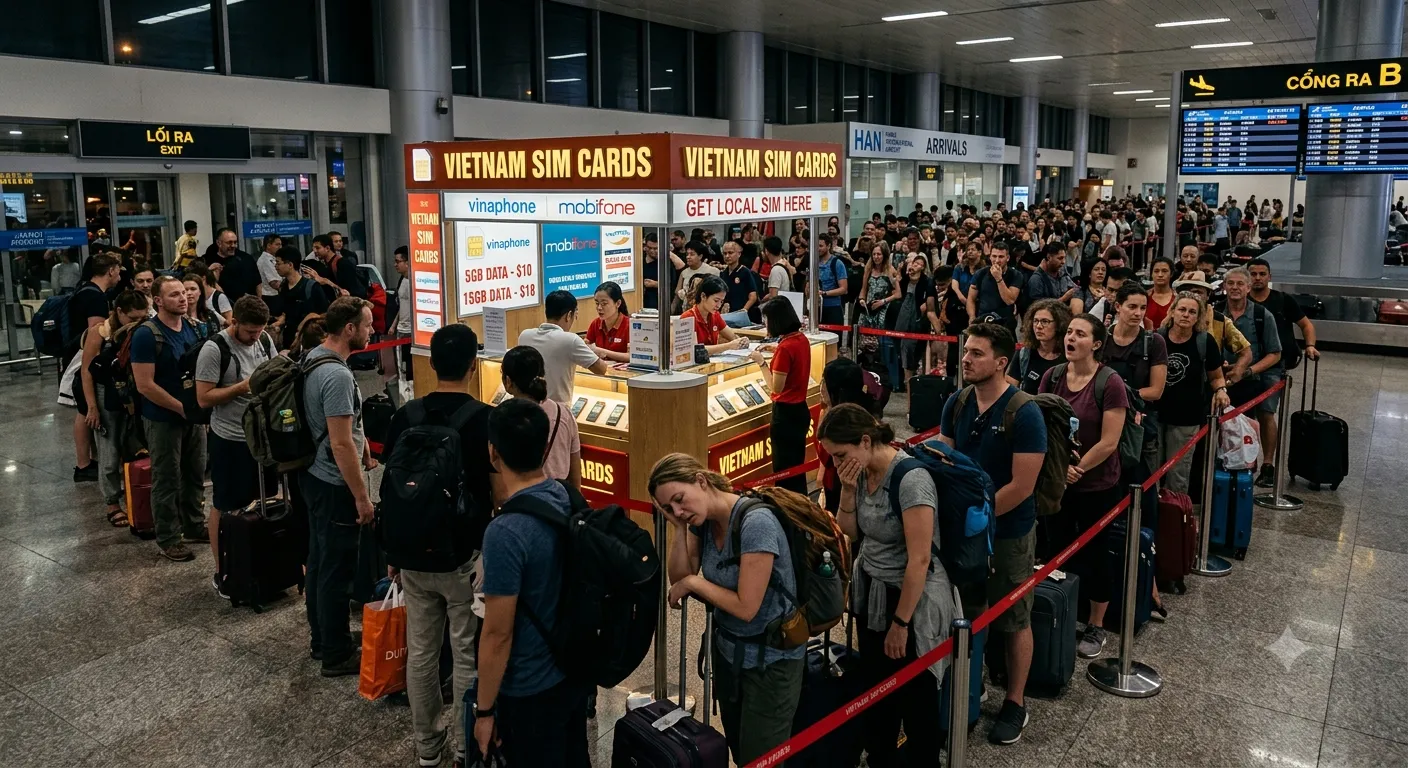
- Bought a SIM at the airport instead? Registration problems are the most-reported cause of a SIM that works and then stops. See the airport guides for Noi Bai (Hanoi), Tan Son Nhat (Ho Chi Minh City) and Da Nang.
- Calls/SMS don’t work but data does. Almost always correct for a data-only travel eSIM — no Vietnamese number. A local operator eSIM gives you a number but needs registration/KYC. (Our Vietnam eSIM is data-only; if you need a real number, choose the MobiFone plan.)
8. Quick checklist after landing
- eSIM line ON
- Set as the mobile-data line
- Data roaming ON for that line only, if your provider says it roams
- Airplane mode on/off
- Restart
- Confirm APN (provider’s value)
- Confirm the plan has data and validity left
That order is deliberate: starting with APNs and manual network selection creates more problems than it solves.
9. When to contact support (and what to send)
If the checklist fails, send a technical incident report, not “my eSIM doesn’t work”:
Country/location: Vietnam, [city/district]
Date/time (local):
Device + OS:
Carrier-unlocked? Yes / No
eSIM provider + exact plan:
ICCID (if shown):
Plan status: Active / Pending / Expired / Out of data
Signal: No service / Bars / 4G / 5G / Connected-no-data
Selected mobile-data line:
Data roaming on eSIM: On / Off
APN configured:
Network selection: Automatic / Manual
Networks tried + result:
VPN/Private DNS/ad blocker: On / Off
Screenshots: eSIM settings, APN, plan page, error screen
That lets support tell a provisioning/roaming-partner defect apart from a local phone setting. Never share your full QR code publicly.
If you’re in Vietnam now and your current eSIM won’t come back, the fastest fallback is a fresh local-profile eSIM delivered by email — you can install it over hotel or café Wi-Fi in minutes. Our Vietnam eSIM runs on genuine local Viettel and MobiFone profiles from $7.90; the Viettel plans activate automatically and use the v-internet APN, while MobiFone needs a one-time 900 dial after landing. New to eSIM? The step-by-step install & activation guide and the complete Vietnam SIM/eSIM guide cover the rest.
How we checked this
We synthesised this from official device/carrier documentation and labelled user reports, distinguishing the two product types throughout:
- Device troubleshooting: Apple (eSIM troubleshooting, international eSIM, eSIM setup) and Google Pixel (eSIM setup, mobile-network troubleshooting, global eSIM carriers).
- Operator: Viettel’s official tourist eSIM guide (its tourist eSIM uses a five-step eKYC — QR, passport photo, live selfie, verify, e-signature — with the original passport required) and its common eSIM errors page; MobiFone’s visitor flow (one guide notes dial
900then2to initialise). - Traveller reports (labelled, not measured): a 2026 Viettel-eSIM-activation-outside-Vietnam thread; an Airalo user whose profile attached to VinaPhone and wouldn’t switch to Viettel; a February 2026 Holafly report of bars-but-no-data in Ho Chi Minh City; and an August 2026 airport-SIM “stopped after ~24h / not properly registered” report.
What we couldn’t verify
- Carrier-level failure rates — no public dataset breaks eSIM failures down by Vietnam network, so the “settings, not the profile” pattern is directional, not a measured statistic.
- Whether every regional handset variant supports eSIM — it varies by model and market; the China/HK/Macau example is documented, but coverage of every SKU is not.
- Each third-party provider’s internal routing/APN — we describe the mechanism (roaming vs local) rather than assert what any specific competitor does; experiences with the same brand vary by plan and partner.
- MobiFone’s exact initialisation step for every profile — reported as
900then2, but it should be confirmed for the specific product.
The bottom line
If your eSIM isn’t working in Vietnam, resist the urge to delete it or to start changing APNs. Identify the symptom, then run the five checks — line on, data line selected, roaming on if your eSIM roams, airplane toggle, restart — before anything else. Use only your provider’s APN, and remember that “No Service” and “signal but no internet” are different problems with different fixes. Still stuck on a travel eSIM and already in Vietnam? A local Viettel eSIM arrives by email in minutes: see the Vietnam plans.
Frequently asked questions
Why is my eSIM not working in Vietnam? +
Usually configuration, not a dead profile. The five fixes that solve most cases, in order: the eSIM line is switched on, it's selected as the mobile-data line, data roaming is on for that line if your eSIM roams (local-profile eSIMs usually don't need it), airplane mode is toggled on/off, and the phone is restarted. After that, check network selection and APN.
Should data roaming be on for a Vietnam eSIM? +
For an international travel eSIM, yes — it usually connects to a Vietnamese network through a roaming agreement, so roaming ON is normally required (for the travel eSIM line only). For a domestic Vietnamese operator eSIM, roaming is usually unnecessary. Follow your provider's instructions.
What APN should I use in Vietnam? +
Use the APN your eSIM provider gives you — and only that. Do not enter Viettel's v-internet, MobiFone's m-wap or VinaPhone's m3-world on a travel eSIM just because you're in Vietnam; those are the operators' own consumer APNs, not necessarily your travel profile's. If your provider set the APN automatically, leave it alone.
My eSIM says No Service in Vietnam — what do I do? +
Check the line is enabled, data roaming is on (only if your eSIM roams onto a partner network), toggle airplane mode for 10–15 seconds, restart, and keep network selection on Automatic. If it still shows No Service, manually select only a network your eSIM provider lists as supported — not every Vietnam eSIM can use every Vietnamese network.
I have signal and 4G/5G but no internet. Why? +
That's a different problem from No Service: the phone registered on a network but has no data session. Check, in order: mobile data is on, the Vietnam eSIM is the selected data line, data roaming is on if your eSIM roams, the plan has started and isn't expired, and you still have data left. Only then look at the APN.
My eSIM worked and then stopped — why? +
Most often the plan expired or the allowance ran out. It can also be a registration/KYC problem on a local operator eSIM (common with SIMs bought from informal airport/retail channels). Check plan status and data balance first, then operator registration.
Can I activate a Vietnam eSIM before I arrive? +
Often you can install it at home, but complete first-time activation may only happen once the eSIM registers on a Vietnamese network. Some Viettel eSIM users report activation only completing after arrival. 'Unable to activate' before you travel does not automatically mean the eSIM is defective — and don't delete it.
Should I delete my eSIM to reinstall it? +
No — do not delete the eSIM as a first troubleshooting step. Many one-time QR codes cannot be reused, so deleting can make recovery harder. Only delete if your provider explicitly confirms a replacement profile is available.
Why do calls and SMS not work but data does? +
Because most international travel eSIMs are data-only — no Vietnamese phone number. If you need a real number for calls/SMS, choose a local operator eSIM (Viettel, MobiFone, VinaPhone), which requires registration/KYC.
Get connected for your trip
Vietnam
Vietnam · 7 days · 35GB
35GB total (5GB/day)
- 5GB high-speed data per day
- Automatic activation
Automatic. Data works the moment the eSIM connects to Viettel. Nothing to dial, nothing to switch on.
QR emailed within minutes · Stripe secure checkout · No account needed
Vietnam
Vietnam · 15 days · 75GB
75GB total (5GB/day)
- 5GB high-speed data per day
- Automatic activation
Automatic. Data works the moment the eSIM connects to Viettel. Nothing to dial, nothing to switch on.
QR emailed within minutes · Stripe secure checkout · No account needed
Vietnam
Vietnam · 30 days · 150GB
150GB total (5GB/day)
- 5GB high-speed data per day
- Automatic activation
Automatic. Data works the moment the eSIM connects to Viettel. Nothing to dial, nothing to switch on.
QR emailed within minutes · Stripe secure checkout · No account needed